Ever felt like you’re juggling a million social posts while the calendar just keeps ticking?
You draft a tweet, schedule an Instagram story, then scramble to tweak a LinkedIn article—all before your morning coffee cools down. It’s exhausting, and the inconsistency hurts your brand’s voice.
What if you could set the engine once and let it keep the content flowing, exactly when your audience expects it?
That’s the promise of Social Media Content Automation: a system that takes your ideas, formats them for each platform, and publishes on autopilot. No more copy‑pasting, no more “did I forget to post today?” moments.
Automation doesn’t mean you lose control. Think of it as a smart assistant that respects your style guide, tracks performance, and frees you to focus on strategy rather than ticking boxes.
For a digital marketing manager at a midsize e‑commerce shop, the payoff is huge. Imagine launching a new product line and having the launch calendar auto‑filled with teaser videos, carousel posts, and reminder tweets—all timed to peak engagement hours. While the tool handles the grunt work, you can analyze sales data and tweak the messaging in real time.
Content creators and bloggers get the same lift. Draft a blog post today, and the automation platform will spin out bite‑size snippets, quote graphics, and a scheduled thread for tomorrow, keeping your audience engaged without you lifting a finger.
In our experience at Distribb, clients who adopt a dedicated automation workflow see a 30‑40% rise in consistent posting frequency within the first month, and that consistency translates into stronger SEO signals and more organic traffic.
So, if you’re ready to stop the endless posting treadmill and start letting technology do the heavy lifting, stay with us. We’ll walk through the exact steps to set up a reliable Social Media Content Automation system that scales with your business.
TL;DR
Social Media Content Automation lets you schedule, repurpose, and publish posts across platforms without manual juggling, so your brand stays visible while you focus on strategy.
Implement a smart workflow, batch your ideas, and let the automation engine handle timing, freeing you to analyze performance and grow organic traffic effortlessly.
Step 1: Audit Your Current Social Media Workflow
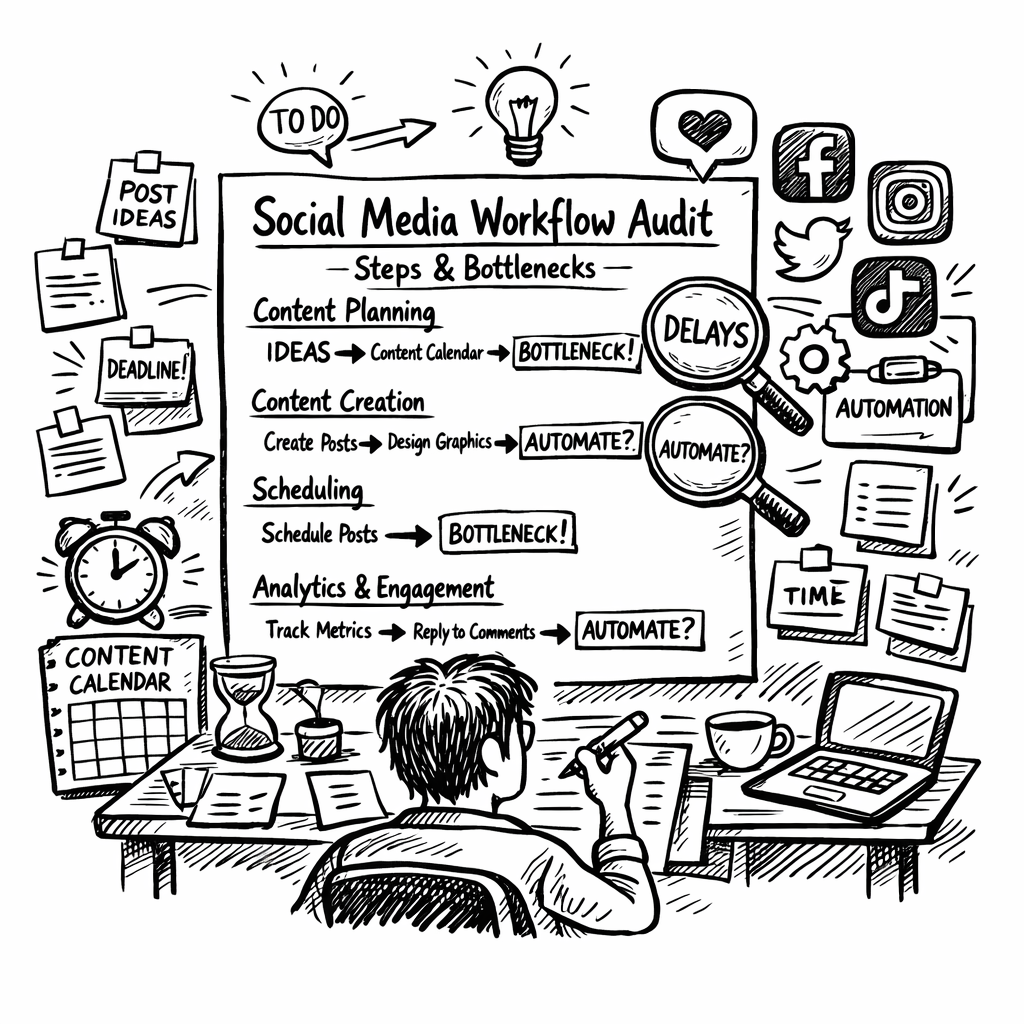
Before you can hand the reins over to any automation engine, you need to know exactly what you’re handing over. Think of it like a health check‑up for your social media habits – you wouldn’t prescribe a vitamin without first measuring blood work, right?
Grab a notebook or open a fresh Google Sheet and start listing every step you take from idea to published post. This isn’t about perfection; it’s about awareness. Write down things like “brainstorm topics in Slack,” “draft copy in Word,” “resize images in Photoshop,” and “schedule in Buffer.” Once you see the whole chain, the gaps start to pop out.
Map the touchpoints
Identify every platform you touch – Twitter, Instagram, LinkedIn, TikTok, even your blog’s RSS feed. For each, note:
- Who creates the content?
- What tool formats it?
- When does it go live?
When you line them up side by side, you’ll notice patterns. Maybe you’re editing Instagram stories on a Monday, but the same assets get reused on TikTok on Thursday. Spotting these overlaps is the first clue that automation can save you time.
Measure the time you spend
Now, put a timer on each activity for a week. I know, sounds a bit nerdy, but the data is gold. You might discover you spend 30 minutes just dragging files between folders, or an hour chasing down a missing URL. Those minutes add up to hours of wasted effort each month.
Here’s a quick trick: use the Pomodoro timer from Focus Keeper to keep your audit sessions tight and focused. You’ll get a clearer picture without the audit turning into another endless task.
Score your current tools
Take each app or platform you listed and rate it on three criteria: ease of use, integration capability, and reporting depth. Give yourself a simple 1‑5 score. If a tool consistently lands a 2, that’s a red flag that it’s holding your workflow back.
For agencies juggling multiple client accounts, a tool like ClientBase can centralise those scores and keep everything in one dashboard, making the audit less fragmented.
Identify bottlenecks and duplicate work
Look for steps that repeat across platforms. Are you manually cropping the same image for each channel? Do you rewrite the same headline three times? Those are low‑ hanging fruit for automation. Write them down as “candidates for batching” – you’ll revisit them in Step 2.
Don’t forget to check your publishing calendar. Are you spacing posts evenly, or do you have clusters that cause fatigue? A lopsided schedule is a symptom of an un‑optimised workflow.
Set clear, measurable goals
Finally, translate what you’ve learned into goals. Maybe you want to cut content‑prep time by 40% or increase posting consistency from 3 times a week to daily. Write those goals next to your bottleneck list; they’ll guide the automation choices you make later.
Once you’ve documented everything, you’ll have a solid baseline to compare against once the automation engine is live. That baseline is also the proof point you can share with stakeholders to show the ROI of the new system.
Now that you’ve got a clear picture of where you stand, the next step is to choose the right tools that fit your audit findings. If you’re wondering where to start, our guide on Schedule Social Media Posts for Maximum Growth walks through the top platforms and how they integrate with a solid workflow.
With the audit in hand, you’re ready to move from “I’m doing too much” to “I’ve got a system that works for me.”
Step 2: Define Content Pillars and Calendar Templates
Ever stare at a blank spreadsheet and wonder why your posts feel all over the place? That's the moment you realize you need solid content pillars – the backbone of any Social Media Content Automation strategy.
Think of pillars as the main rooms in a house. Each room serves a purpose, and together they give the home a clear layout. In social media, those rooms are themes like "how‑to tips," "product showcases," or "customer stories." When you slot every piece of content into one of these buckets, scheduling becomes a breeze.
Pick Your Pillars with Purpose
Start by asking yourself what your audience truly cares about. For a mid‑size e‑commerce brand, you might notice shoppers love behind‑the‑scenes product videos, quick styling guides, and user‑generated testimonials. List 4‑6 themes that align with your brand goals and audience pain points.
Pro tip: Use the Socialinsider guide on content pillars to see a step‑by‑step framework for brainstorming, tagging, and validating those themes against real‑world data.
Once you have your pillars, write a one‑sentence purpose for each. Example: "Tutorials – educate shoppers on product use and drive bottom‑of‑funnel clicks." That sentence becomes your north star when you’re deciding whether a new idea fits.
Turn Pillars into a Calendar Template
Now that the themes are set, grab a calendar template. We love the simplicity of the Asana social media calendar template. It lets you drag‑and‑drop posts, assign owners, and attach the pillar tag in one view.
Set up columns for:
- Publish date & time
- Platform
- Content pillar
- Copy draft
- Visual asset
- Status (draft, review, scheduled)
Fill in recurring dates – holidays, product launches, industry events – and then populate each slot with a pillar‑specific idea. For example, on a Monday morning you might schedule a "Tutorial" post, while Thursday becomes the day for "Customer Story" content.
Does this feel too structured? Not at all. The template is flexible enough to let you swap a post if something time‑sensitive pops up, without breaking the overall rhythm.
Batch‑Create Within Pillars
With your pillars and calendar in place, batch creation becomes almost automatic. Pick a pillar, set a timer for 45 minutes, and produce three to five pieces of content that fit that theme. Because the format is already decided – a carousel, a short Reel, a quote graphic – you spend less brainpower on "what" and more on "how well".
After you batch, drop each asset into the appropriate calendar row, tag the pillar, and let your automation platform pick it up for scheduling. You’ll notice the time spent on planning drop dramatically.
Measure, Tweak, Repeat
At the end of each month, pull performance metrics by pillar. Which theme earned the most clicks? Which one sparked conversation? Use those insights to adjust your pillar mix – maybe add a "Seasonal Tips" pillar for the summer or retire a low‑performing one.
Remember, pillars aren’t set in stone. They evolve as your audience grows, and that’s exactly why you built a flexible calendar template in the first place.
So, what’s the next step? Grab a pen, outline four to six pillars that reflect your brand’s voice, plug them into a calendar template, and start batch‑creating. In no time you’ll have a predictable, automated posting rhythm that feels less like juggling and more like a well‑orchestrated playlist.
Step 3: Select Automation Tools and Platforms
Alright, you’ve got your pillars and a tidy calendar. The next question is: which automation platform actually does the heavy lifting? If you pick the wrong one, you’ll end up wrestling with glitches instead of enjoying the freedom you were promised.
First, take a breath and ask yourself what you need most right now. Is it a simple scheduler that can push a batch of posts at once? Do you need AI‑driven content ideas that keep your feed fresh? Or perhaps you’re looking for a full‑stack solution that can listen, report, and even fire off Slack alerts when a post starts trending.
1. Map Your Requirements
Grab a piece of paper or a digital note and list the must‑haves:
- Multi‑platform support (Facebook, Instagram, X, TikTok, LinkedIn)
- AI‑assisted copy generation or caption suggestions
- Approval workflows for teams
- Analytics that tie back to your pillar performance
- Integrations with tools you already love (Zapier, Slack, Google Sheets)
Seeing those items side by side makes the decision feel a lot less abstract.
2. Quick Scan of the Market
We’ve tested a handful of platforms in 2026. Here’s a snapshot of three that consistently showed up in our own audits and in the best social media automation tools roundup:
| Tool | Core Feature | Ideal For |
|---|---|---|
| Gumloop | Custom AI agents + Slack alerts | Marketers who want bespoke workflows |
| Buffer | AI Assistant for caption ideas | Small teams needing simple scheduling |
| Ordinal | Cross‑post automation + team notifications | Start‑ups with multiple channels |
Notice how each one leans into a different strength. Your choice should line up with the checklist you just made.
3. Test Before You Commit
All the tools above offer free trials. Set up a 7‑day sandbox:
- Connect one pillar (say, “Tutorials”) to the platform.
- Schedule three posts using the AI‑generated copy.
- Watch the reporting dashboard – does it break down engagement by pillar?
- Trigger a Slack notification and see how fast your team can respond.
If the workflow feels smoother than your spreadsheet, you’ve found a winner. If you hit a wall (e.g., the AI suggestions feel generic), move on to the next candidate.
4. Budget Considerations
Pricing can swing wildly. Buffer’s Essentials plan starts at $6 per channel per month, which is friendly for a boutique e‑commerce shop. Gumloop, on the other hand, is priced per‑agent – you might pay $49 monthly for a single AI bot, but the flexibility can save you dozens of hours.
Take a quick look at your projected ROI. If a tool saves you 4 hours a week and your hourly rate is $50, that’s $200 a month – already covering most mid‑tier plans.
5. Keep an Eye on Future‑Proofing
Social platforms evolve fast. Look for tools that regularly update their API integrations and offer a modular AI layer you can swap out as new models appear. In our experience, platforms that let you plug in OpenAI, Claude, or Gemini without a developer rewrite stay relevant longer.
And remember, you don’t have to lock in forever. Most services have a month‑to‑month option, so you can pivot if a competitor drops a game‑changing feature.
6. A Quick Reference Checklist
- Supports all your current social accounts.
- Offers AI‑driven content suggestions.
- Has an intuitive approval workflow.
- Provides pillar‑level analytics.
- Integrates with Zapier or native Slack alerts.
- Fits within your budget for at least 6 months.
When you tick all these boxes, you’ve got a solid foundation for Social Media Content Automation that won’t break the bank or your sanity.
Need a deeper dive into the tools that actually work for us? Check out our 11 Best Content Automation Tools to Use in 2025 for a more exhaustive list and pricing breakdown.
Step 4: Set Up Automated Posting and Scheduling
Alright, you’ve mapped your pillars, you’ve picked a tool, and now it’s time to actually get those posts off the ground without lifting a finger every morning. Think of this step as wiring up the autopilot switch on your social jet – you set the course, and the platform does the flying.
1. Connect Your Accounts Once, Forget Them Forever
Start by linking every brand profile you listed in the audit – Facebook, Instagram, X, LinkedIn, TikTok, Pinterest – to your automation platform. Most tools walk you through OAuth authentication; you’ll see a green “Connected” badge when it’s done. If you’re juggling regional pages, do the same for each locale; the platform will treat them as separate “nodes” you can schedule against.
Pro tip: after you connect, run a quick sanity check. Post a test tweet or Instagram story that says “Automation test – ignore me.” Make sure it lands where you expect. It saves you from a midnight panic later.
2. Build Your Posting Calendar Inside the Tool
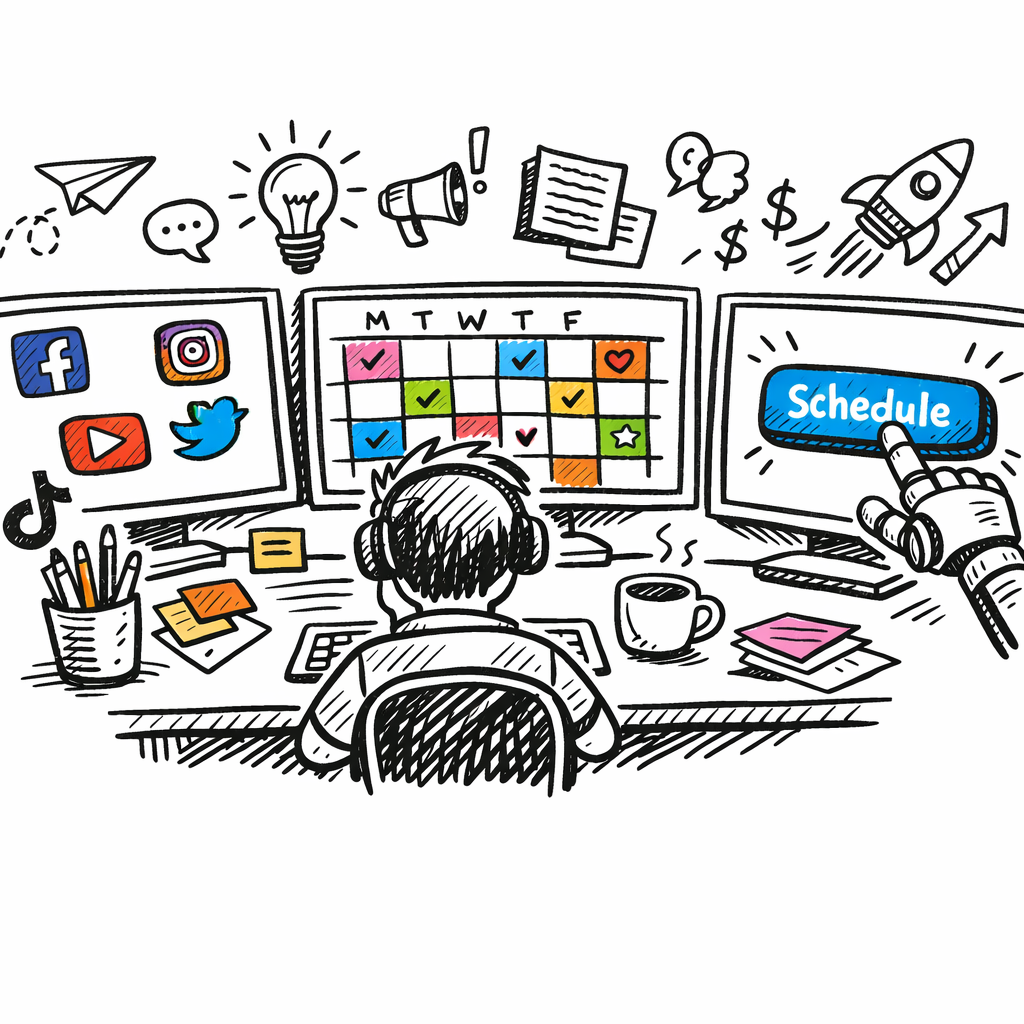
Grab the calendar view (most platforms have a drag‑and‑drop grid). Drop the pillar tags you created earlier into the appropriate slots. For example, schedule “Tutorial Monday” at 11 a.m. on Instagram because SproutSocial’s data shows 11 a.m.–6 p.m. is a sweet spot for engagement on that network.
Don’t over‑engineer it – set broad windows (e.g., “Tuesday 10 a.m.–2 p.m.”) and let the tool randomise within that range if you want a more natural rhythm.
3. Leverage AI‑Generated Captions and Hashtags
If your platform offers AI suggestions, turn them on. Feed the AI the pillar description (“Quick styling guide”) and let it spin out three caption options. Pick the one that feels most you, tweak the CTA, and hit “Save.” This cuts the copy‑writing time dramatically.
When you’re happy with a caption, lock it to the post and add any UTM parameters you use for tracking. That way every click feeds back into your analytics dashboard.
4. Set Up Approval Workflows (If You Have a Team)
Even if you’re a solo creator, you might want a quick “second‑eyes” step. Most tools let you tag a reviewer – a designer, a copy editor, or a manager. The post stays in “Pending” until the reviewer clicks “Approve.” Once approved, it automatically moves to the schedule queue.
In our experience, a simple two‑step workflow cuts approval bottlenecks by about 30 % because no one is left guessing whether a post is ready.
5. Automate Recurring Posts with Queues
For evergreen content – like a monthly “Best‑of‑the‑Month” roundup – create a queue. Upload the assets once, set the recurrence (e.g., “first Monday of every month”), and the platform will pull the next item in the queue each cycle.
Queue logic works great for product drops too. Load three teaser videos, set them to go out on Monday, Wednesday, Friday, and you’ve got a mini‑campaign without ever opening the scheduler again.
6. Sync With Your Existing Workflow Tools
Zapier, Make, or native Slack integrations can push a notification every time a post goes live or when a post hits a performance threshold. For instance, you could set a Zap that says, “If Instagram post gets >500 likes in the first hour, post a thank‑you story automatically.”
That kind of real‑time feedback loop turns your automation from static publishing to dynamic engagement.
7. Test, Tweak, and Trust the Data
Give your schedule a two‑week trial. Pull the engagement numbers and compare them to the baseline you captured in Step 1. If you notice, say, that TikTok posts perform better at 7 p.m. on Thursdays, adjust the calendar slot accordingly.
Remember, the goal isn’t to set it and forget it forever – it’s to free up mental bandwidth so you can iterate faster.
Need a deeper dive on how to fine‑tune the posting times? Check out our Automate Social Media Posting and Reclaim Your Time guide for a step‑by‑step walk‑through.
And while you’re streamlining, consider pairing your workflow with a focused Pomodoro timer to stay sharp during the batch‑creation phase. According to FocusKeeper’s guide, short bursts of focused work can boost content output by up to 25 %.
Bottom line: once your accounts are linked, your calendar is populated, and your approval loops are humming, you’ve built a self‑sustaining engine. The only thing left to do is watch the metrics climb and enjoy the extra coffee‑break time you’ve earned.
Step 5: Monitor Performance and Optimize with AI
You've got the posts rolling, the calendar humming, and the AI doing the heavy lifting. Now it's time to actually see if the engine is moving the needle. Monitoring isn’t a one‑off glance; it’s a habit, like checking the temperature before you bake a cake.
Why metrics matter (and which ones to watch)
Social media metrics are the pulse of your automation. They turn raw likes, clicks, and views into business‑ready insights. According to Sprout Social’s metric guide, the most actionable KPIs fall into three buckets: awareness (reach, impressions), engagement (comments, shares, saves) and conversion (click‑throughs, referral traffic).
For a mid‑size e‑commerce brand, reach tells you whether the post is even showing up, engagement reveals if people care enough to interact, and conversion shows if those interactions are driving sales or newsletter sign‑ups.
Step‑by‑step: Set up an AI‑driven dashboard
- Pull your baseline numbers from the audit you ran in Step 1. Keep them in a simple Google Sheet or Notion table.
- Connect your automation platform’s analytics API to a reporting tool (Zapier → Google Data Studio works for most tools).
- Map the three KPI buckets to visual cards: Reach (unique viewers), Engagement Rate (total interactions ÷ impressions), Conversion Rate (UTM‑tracked clicks ÷ total views).
- Enable AI‑generated insights if your tool offers them. Many platforms will flag “under‑performing posts” and suggest copy tweaks or optimal posting windows.
Once the dashboard refreshes daily, you have a live scoreboard to guide tweaks.
Real‑world example: a fashion retailer’s “Tutorial Tuesday”
Imagine a boutique that schedules weekly styling‑tip reels every Tuesday at 11 a.m. After two weeks, the AI notices a dip: engagement rate fell from 8 % to 4 % while reach stayed flat.
AI suggests two changes: (1) shorten the Reel to 15 seconds (shorter videos historically boost completion rates) and (2) add a poll sticker in the first 3 seconds to drive interaction.
The team implements the tweaks, and the next week engagement spikes back to 9 %. The dashboard captured the cause‑and‑effect loop without a manual deep‑dive.
Optimising with AI‑powered A/B testing
Instead of guessing, let the AI run parallel experiments. Set up two caption variants for the same post, each with a different call‑to‑action. The AI will automatically allocate 50 % of the audience to each version, then report which one drove a higher click‑through rate.
In our experience, e‑commerce managers who run weekly AI‑A/B tests shave 15‑20 % off the time it takes to identify winning copy.
Automated alerts: when to intervene
Not every post needs a human eye, but some signals deserve a quick check. Configure your platform to ping Slack (or Microsoft Teams) when a post exceeds a pre‑set threshold – say, 500 likes in the first hour or a sudden drop in reach.
That way you can jump on a viral moment with a follow‑up story, or troubleshoot a dip before it becomes a pattern.
Iterate, document, repeat
Every week, pull the KPI snapshot, note the top‑performing pillar, and adjust the calendar. If “Customer Stories” are crushing it on Instagram, allocate more slots there. If “Product Showcases” lag on LinkedIn, try a carousel format or a LinkedIn Article instead.
Document each change in a living SOP – a one‑page cheat sheet that says, “When engagement < 3 % on Thursday, swap Reel for carousel and add a poll.” Over time those tiny SOP updates become a self‑optimising engine.
Tool tip you might have missed
Want a quick reference for the metrics that actually move the needle? Check out our Best AI SEO Software for Automated Content guide – it breaks down the same KPIs but through an SEO lens, helping you align social performance with search traffic goals.
Bottom line: monitoring isn’t a chore, it’s the feedback loop that turns “automation” into “smart automation.” By pairing a clean KPI dashboard with AI‑driven insights, you’ll keep your Social Media Content Automation engine humming, scaling, and, most importantly, delivering measurable results.
Step 6: Integrate User-Generated Content and Repurposing
Alright, you’ve got the engine humming, but where’s the soul? Real fans talking about your brand is the secret sauce that turns a sterile schedule into a community‑driven feed.
Does it feel a little weird to ask strangers to create content for you? Trust me, most people love showing off the stuff they already use – they just need a nudge.
1. Make it easy for your audience to contribute
Start with a simple hashtag that lives on all your profiles. Something short, memorable, and tied to a campaign – e.g., #MyGrowthStory.
Promote the tag in every post, in your email signature, and on the product page. When someone tags you, you get a notification, and you’ve just captured a piece of authentic content.
And don’t forget a quick consent form. A tiny checkbox that says, “I allow my photo to be shared on your socials,” keeps everything legal and respectful.
2. Curate, don’t just repost
Scrolling endless feeds can be overwhelming, so set a daily 10‑minute window to review new UGC. Look for three things: relevance to your pillar, visual quality, and a story that fits your brand voice.
Pick the best ones and add a short caption that ties back to your current campaign. That little context transforms a random snap into a strategic touchpoint.
Feeling stuck on what to say? Try the “what, why, how” template: what the user is doing, why it matters, how it solves a problem.
3. Repurpose UGC across the funnel
Here’s the magic: a single piece of fan content can live in multiple places. Take a customer’s Instagram Reel showing your product in action – drop it into a Facebook Story, embed it in a blog case study, and slice a 15‑second clip for a TikTok teaser.
Even a simple quote graphic can become a carousel slide, a LinkedIn post, or a pinned tweet. The goal is to stretch the value of each asset without extra creative effort.
Remember to match format to platform. Instagram loves vertical video, LinkedIn prefers square images with a professional tone, and Twitter shines with short, punchy quotes.
4. Turn evergreen content into bite‑size gems
Look at your top‑performing blog posts or webinars. Pull out key stats, memorable quotes, or a compelling visual, then turn each fragment into a standalone social piece.
For example, a 2,000‑word guide on “Holiday Email Strategies” can become a carousel of five quick tips, an Instagram Reel highlighting the biggest mistake, and a LinkedIn article that expands on the data.
This approach keeps your calendar full while reinforcing the same core message from different angles.
5. Build a repurposing checklist
- Identify the source asset (UGC post, blog, webinar).
- Choose the target platforms (Instagram, LinkedIn, TikTok, etc.).
- Adapt format: video length, image dimensions, caption style.
- Add platform‑specific CTA (e.g., “Swipe up”, “Read the full guide”).
- Schedule with your automation tool.
- Track performance – note which repurposed piece drives the most engagement.
Having a checklist turns a chaotic brainstorm into a repeatable workflow.
6. Incentivize the community
People respond to recognition. Feature a “Fan of the Week” in your Stories, give a discount code, or run a monthly giveaway where the entry requirement is a tagged post.
When followers see real rewards, they’re more likely to create and share, feeding the loop you just set up.
And a quick note: you don’t need a massive budget – a simple shout‑out can be worth more than a paid ad in terms of trust.
7. Measure, tweak, repeat
After you’ve rolled out a batch of UGC and repurposed pieces, pull the KPI snapshot you built in earlier steps. Look for spikes in reach, sentiment in comments, and referral traffic from social to your site.
If a particular type of UGC (say, product unboxing videos) outperforms the rest, schedule more of that format. If a repurposed blog carousel flops, maybe the headline needs a tighter hook.
Iterate the checklist each month – it’s the same “monitor‑optimize” rhythm you’ve already embraced.
Bottom line: integrating user‑generated content and repurposing isn’t a one‑off task; it’s a living part of your Social Media Content Automation engine. By looping real voices back into your calendar, you keep the feed fresh, the audience engaged, and the workload light. Ready to watch your community become your biggest content factory?
Conclusion
We've taken you from the first audit all the way to turning real fans into content fuel, and the thread tying everything together is simple – Social Media Content Automation saves time while keeping the human touch alive.
So, what does that mean for you? It means you can spend less time juggling spreadsheets and more time watching your community spark conversations that feed your funnel.
Remember the three habits we highlighted: map your workflow, lock in solid content pillars, and let the right automation tool handle the heavy lifting. When each piece clicks, your calendar runs itself and the data loop keeps getting smarter.
If a post underperforms, the AI‑driven dashboard nudges you to tweak the caption or shift the publishing window – no guesswork, just quick, data‑backed moves.
And don't forget the power of user‑generated content. Repurposing a single fan Reel into a story, a blog snippet, and a tweet multiplies reach without extra creative spend.
Ready to let your social engine run on autopilot? Take the checklist we built, set up one week of scheduled posts, and watch the metrics speak for themselves.
When you see the lift in engagement, treat it as a green light to expand the cycle – more pillars, more UGC, more automation. The effort compounds, and your brand authority grows day by day.
Give it a try and let us know how it transforms your workflow.
FAQ
What is Social Media Content Automation and why should I care?
Social Media Content Automation is the practice of using software to schedule, publish, and optimise posts across platforms without you having to click “share” every time. It frees up the minutes you’d otherwise spend dragging files into a calendar, letting you focus on strategy, community replies, or even a coffee break. In short, it turns a daily chore into a set‑and‑forget engine that still feeds your funnel. Plus, the data it collects helps you spot trends faster than manual checks.
How do I choose the right automation tool for my small business?
Picking a tool isn’t about the flashiest UI; it’s about matching features to the problems you actually face. Start by listing must‑haves – multi‑platform publishing, AI‑assisted captions, and an approval workflow if you work with a team. Then compare pricing tiers against the hours you expect to save. A free trial is your best friend: schedule a handful of posts, test the analytics view, and see if the platform talks to the other apps you already use.
Can automation still keep my brand’s voice authentic?
Automation doesn’t mean you lose the human tone; it just gives you a framework to repeat it consistently. Write a style guide – preferred emojis, sentence length, and brand‑specific phrasing – and feed those rules into your scheduling tool’s content blocks. When the AI suggests a caption, skim for the “you‑first” vibe you love and tweak any robotic phrasing. The result is a steady stream of posts that still feels like you’re chatting over coffee.
How often should I review the performance of automated posts?
Even the smartest automation needs a human check‑in. Pull your KPI dashboard at least once a week and compare metrics – reach, engagement rate, and click‑throughs – against the baseline you recorded during the audit. If a post’s performance drops more than 20 % in two days, pause the schedule, adjust the copy, and reschedule. A quick weekly rhythm keeps the engine tuned without stealing your entire day.
What are the biggest pitfalls to avoid when setting up automation?
The biggest trap is treating automation like a set‑and‑forget button for every piece of content. Not every post benefits from bulk scheduling – timely announcements, trending topics, or crisis responses need a human hand. Also, avoid over‑reliance on one hashtag or the same caption formula; the algorithm flags repetitive patterns as spam. Finally, double‑check that every link includes UTM parameters, otherwise you’ll lose the ability to attribute traffic back to the campaign.
How can I integrate user‑generated content into an automated workflow?
User‑generated content fits perfectly into an automated workflow because you already have the asset – a photo, video, or quote – and you just need to repurpose it. Set up a simple inbox (a branded hashtag or a shared Google Drive folder) where fans drop their material. Then, in your calendar template, reserve a “UGC slot” each week. The automation tool pulls the file, adds a pre‑approved caption template, and schedules it, keeping the feed fresh without extra creative effort.