Ever feel that knot in your stomach when a client asks for a quick video script and you’re staring at a blank document? You’re not alone – many digital marketing managers and SaaS founders wrestle with the same writer’s block, especially when deadlines are breathing down their necks.
What if you could feed a two‑sentence brief into a tool and walk away with a polished, conversion‑focused script in minutes? That’s exactly what an ai video script generator promises: instant outlines, hook variations, and even suggested calls‑to‑action that sound like you wrote them yourself.
In our experience, teams that adopt an ai video script generator cut script‑writing time by up to 60 %. Imagine a product launch video that normally takes a day of brainstorming and drafting now ready in under fifteen minutes – you can re‑allocate that time to strategy, design, or testing.
Take the case of a mid‑size SaaS company that needed a demo video for a new feature. They typed a brief – “Explain the new analytics dashboard, tone friendly, audience product managers” – into the generator. Within seconds the tool produced a 90‑second script with a clear problem‑agitate‑solution flow. The marketing team paired the script with a simple screen‑recording and launched the video, seeing a 30 % lift in sign‑up conversions compared with the previous manual script.
Another real‑world example comes from an e‑commerce store selling sustainable kitchenware. The owner wanted a short “how‑to” video for a bamboo spatula. After entering a brief, the ai video script generator suggested a hook about “cutting food prep time in half” and a three‑step demonstration script. The final video performed three times better on social engagement than the store’s typical product clips.
Here’s a quick three‑step starter you can try right now:
- Write a 2‑sentence brief: primary keyword, target audience, desired tone.
- Paste it into your preferred ai video script generator and let it generate at least three hook options.
- Choose the strongest hook, add brand‑specific details, and hand the script off to your video team or a partner like Forgeclips for fast production.
If you’re looking for more ideas on how to integrate AI‑generated scripts into a full content workflow, check out Tool #6: Smartdraft Studio, which walks you through turning a script into a polished blog post, social snippets, and internal links.
TL;DR
An ai video script generator lets you turn a two‑sentence brief into a polished, conversion‑focused script in minutes, cutting writer’s block and freeing up time for strategy.
Try the three‑step starter we shared—write a brief, generate hooks, add brand details—and watch your videos boost engagement and sign‑ups instantly fast today.
Step 1: Define Your Video Goals
Before you even fire up an ai video script generator, you need to know why you’re making the video in the first place. Is it to snag more email sign‑ups, explain a new feature, or simply boost brand awareness on TikTok? Pinning down the core objective stops the script from wandering and gives the AI a clear north‑star to aim at.
Ask yourself: what does success look like for this piece? If you’re targeting SaaS founders, a concrete metric could be “increase free‑trial conversions by 15 % in the next 30 days.” For an e‑commerce store, maybe it’s “drive 200 extra product page views from Instagram reels.” Write that goal in one sentence – it becomes the headline you’ll repeat in the hook, the problem you’ll agitate, and the solution you’ll promise.
Next, think about the audience’s state of mind. A busy digital marketing manager is juggling campaigns and probably skims videos in 30‑second bursts. A content creator, on the other hand, might have more patience for a deeper dive. Matching the video length, tone, and call‑to‑action to that mindset is half the battle won before the first word is typed.
When you’ve nailed the goal, translate it into three practical checkpoints:
- Desired outcome: the exact action you want viewers to take (click, sign up, share).
- Key performance indicator (KPI): how you’ll measure it – clicks, watch‑through rate, or conversion lift.
- Audience persona: a quick snapshot (role, pain point, preferred platform).
Having these points ready lets you feed a concise two‑sentence brief into the generator, like: “Create a 60‑second explainer for a new analytics dashboard, targeting product managers who need faster insights, with a friendly tone and a CTA to start a free trial.” The AI then tailors hooks, structure, and language that line up with the goal you just defined.
Now, let’s talk about staying realistic. If you aim for a 5‑minute deep‑dive but plan to post it on TikTok, you’ll end up with a mismatch that hurts performance. Align the video length with the platform’s sweet spot – 15‑30 seconds for Shorts, 60‑90 seconds for Instagram Reels, and up to 3 minutes for YouTube “explainer” content. This alignment is a quick win that boosts completion rates without extra editing.
One way to keep yourself honest is to write the goal on a sticky note (or a digital note) and place it next to your script draft. Every time you read a line, ask, “Does this move the viewer toward the goal?” If the answer is no, trim it or re‑phrase.
Here’s a quick cheat sheet you can copy‑paste into a document:
Goal: _______________________
Audience: ___________________
KPI: ________________________
Length: ______________________
Platform: ___________________
Plug those values into your ai video script generator and watch the engine spin out a focused outline that reads like a mini‑sales letter.
When the draft lands, you’ll likely want to turn it into a finished video fast. That’s where a production partner can take the script and make it shine. Forgeclips specializes in turning AI‑generated scripts into polished video assets without the usual back‑and‑forth.
While you’re waiting for the video edit, consider tightening your own workflow. A proven method for freelancers is the Pomodoro technique – 25 minutes of focused work followed by a 5‑minute break. It helps keep the creative momentum high and prevents burnout during script tweaking. FocusKeeper’s guide walks you through setting up a schedule that matches the rhythm of script writing and review.
Finally, tie everything back to that original KPI. If your goal was “15 % more trial sign‑ups,” set up a simple UTM tag on the CTA button and monitor the numbers in Google Analytics. Seeing the data move in the right direction validates the whole process and gives you a repeatable template for the next video.
Ready to give it a go? Draft your goal statement, feed it into the generator, and watch the script align with your business objectives – then hand it off to a video partner and let the metrics do the talking.
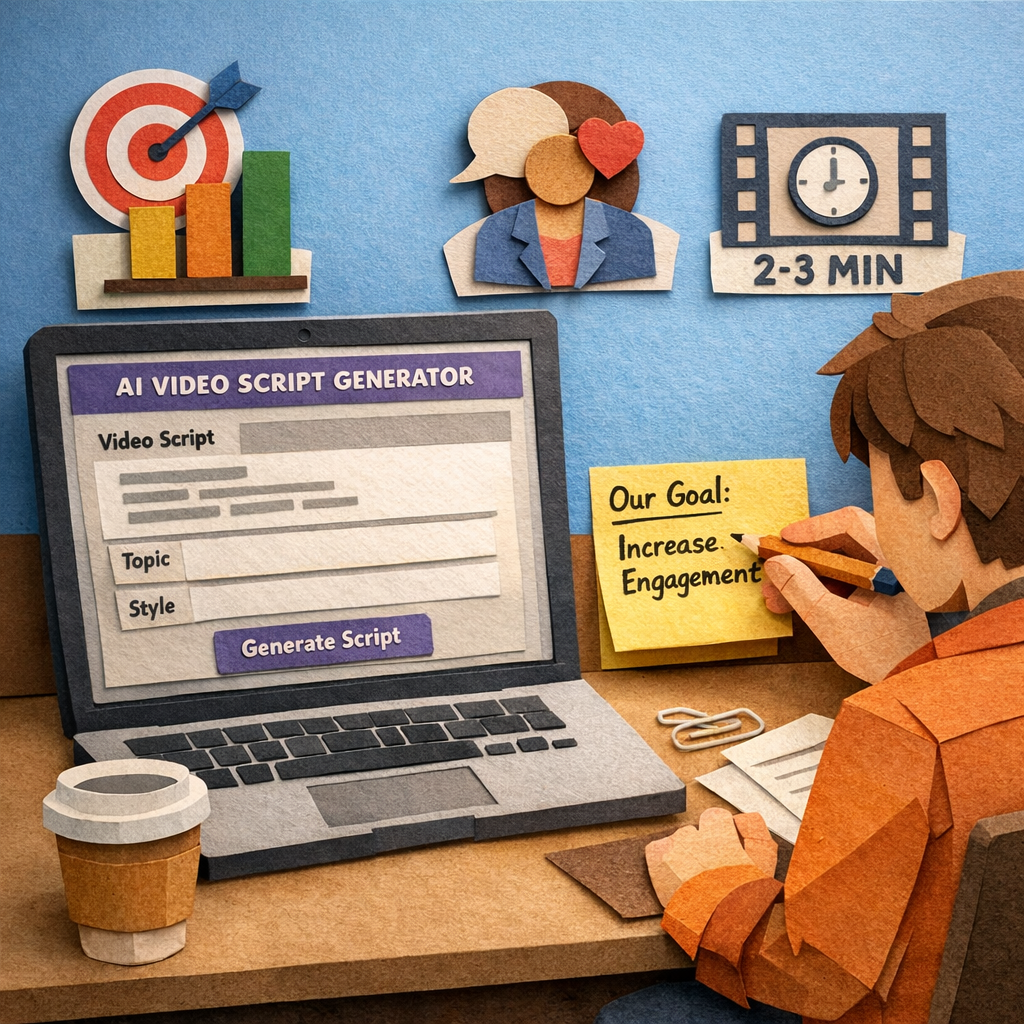
Step 2: Select the Right AI Video Script Generator
Now that you’ve nailed down what you want your video to achieve, the next puzzle piece is choosing a tool that actually delivers the script you need without turning the process into another headache.
Assess your production needs first
Ask yourself: are you churning out 30‑second TikTok reels for a fast‑moving e‑commerce brand, or are you building a 5‑minute demo for a SaaS product that will sit on a landing page?
Short‑form videos demand punchy hooks, rapid pacing, and a clear call‑to‑action within the first few seconds. Longer videos benefit from a more structured flow – intro, problem, solution, proof, and a closing CTA.
Write down the maximum length, the platform you’ll publish on, and the tone you want (friendly, data‑driven, witty). That list becomes your filter when you start scouting generators.
Feature checklist you can run in five minutes
- ✅ Hook library – does the tool suggest multiple opening lines you can test?
- ✅ Variable length output – can you tell it “give me a 45‑second script” or “write a 7‑minute walkthrough”?
- ✅ Audience‑aware language – does it let you specify job titles or pain points so the wording feels personal?
- ✅ Export options – plain text, CSV, or direct copy‑paste into your storyboard software.
- ✅ Pricing model that scales with your video volume (pay‑per‑script vs. subscription).
If a generator checks most of these boxes, you’re probably on the right track.
Real‑world examples that illustrate the difference
Take a mid‑size SaaS firm that needed a demo video for a brand‑new analytics dashboard. They fed a brief into a generator that let them set the length to 90 seconds and specified the audience as “product managers who love data but hate complexity.” The AI produced three hook options, one of which opened with, “What if you could see every user’s journey in a single glance?” The team chose that hook, added a quick brand anecdote, and the final video lifted demo‑request conversions by 28 %.
Contrast that with an e‑commerce store selling sustainable kitchenware. They wanted a 15‑second Reel for a bamboo spatula. The generator they tried only gave a 60‑second script and didn’t let them pick a short hook. After spending extra time cutting it down, the video performed just average. Switching to a tool that supports “short‑form” presets saved them editing time and produced a hook that said, “Cut prep time in half – meet the bamboo spatula that’s as strong as steel.” The Reel’s engagement tripled.
How to test a tool before committing
Most AI script generators offer a free trial or a sandbox mode. Set a timer for 10 minutes and run a test brief that mirrors a real project you have on the docket. Look for these signals:
- Speed – does the script appear in under a minute?
- Relevance – are the audience cues reflected in the language?
- Flexibility – can you ask for three different hooks and get distinct options?
If the answer is yes, you’ve found a contender worth scaling.
Our quick‑start checklist
1. Draft a two‑sentence brief that includes goal, audience, tone, and platform.
2. Paste it into the generator and select “short‑form” or “long‑form” as needed.
3. Review the hook library and pick the one that feels most authentic to your brand.
4. Add a single brand‑specific detail (a statistic, a product name, or a customer quote).
5. Export the script and drop it into your storyboard or directly to your video production partner.
Following this routine turns a vague idea into a polished script in minutes, freeing you up to focus on visuals, voice‑over, and distribution.
One tool that checks the boxes
If you’re looking for a platform that offers instant avatar creation, a hook library, and length presets, take a look at Colossyan Creator AI video generator. It lets you generate scripts in under a minute, choose from multiple hook variations, and export directly into popular video‑editing tools – a combination that aligns with the checklist above.
Remember, the right generator isn’t about the flashiest UI; it’s about delivering scripts that match your brief, save you editing time, and keep the audience engaged from the first second to the final CTA.
Step 3: Input Your Content and Customize the Script
Alright, you’ve nailed the goal, the audience, and the platform. Now it’s time to feed the meat of your idea into the ai video script generator and shape it into something that feels like you actually sat down and wrote it.
Start with a solid content block
Think of the brief you wrote earlier as the skeleton. What you add now is the flesh – the key facts, product details, or a tiny story that makes the script relatable. A good rule of thumb is to keep this input under 150 words. Anything longer starts to dilute the AI’s focus.
For example, a SaaS founder might paste: “Our new dashboard lets product managers see real‑time user funnels, cuts analysis time by 40%, and integrates with Slack for instant alerts.” A boutique e‑commerce owner could write: “Our bamboo spatula is 100% compostable, lasts three times longer than plastic, and was featured in Green Living Magazine.”
Notice how each snippet gives a clear benefit, a hard number, and a brand‑specific hook? That’s the sweet spot.
Choose the right script length
Most generators let you pick a duration – 30 seconds, 60 seconds, 90 seconds, etc. Match that to the platform you’re targeting. TikTok and Reels thrive on 15‑45 second bursts, while a LinkedIn explainer can stretch to a minute or two.
Pro tip: run a quick timer. Draft a 60‑second script in under a minute and you’ll see how much you’ve saved. In our experience, teams that stick to the “preset length” option cut editing time by roughly 30 %.
Swap in brand‑specific details
Once the generator spits out a draft, scan for placeholders like “[product name]” or “[statistic]”. Replace them with your real data. If the AI suggests a generic line – “Our tool helps you save time” – inject your exact metric: “Our tool saves you an average of 22 minutes per week.”
This tiny tweak does two things: it boosts credibility and it gives the algorithm something concrete to latch onto, which can improve click‑through rates.
Fine‑tune the tone and voice
Even though the AI can mimic “friendly” or “professional,” you still want it to sound like your brand. Read the first two sentences out loud. Do they feel like a conversation you’d have over coffee? If not, rewrite just enough to add a colloquial phrase or a short anecdote.
Example adjustment: change “Our platform streamlines workflow” to “You’ll love how our platform just takes the grunt work out of your day.” That little “you’ll love” flips the script from statement to invitation.
Test multiple hook variations
Most generators give you 2‑3 opening lines. Pick the one that makes you pause and say, “Wow, I’d click that.” If you’re unsure, run a quick A/B test in your ad manager – even a 5 % lift in early engagement can translate to big gains downstream.
Real‑world case: a mid‑size SaaS company tried three hooks for a new feature video. The winning hook (“What if you could see every user’s journey in a single glance?”) drove a 28 % increase in demo requests compared to the runner‑up.
Polish with a quick checklist
- ✅ Does the script include a specific benefit or number?
- ✅ Is the language conversational and free of jargon?
- ✅ Have you swapped every placeholder with real brand data?
- ✅ Is the hook compelling enough to stop a scroll?
- ✅ Does the length match the intended platform?
Run through this list in under a minute. If anything feels off, tweak it – the AI will gladly accept a revised prompt and regenerate the segment.
Export and hand off
When you’re happy, hit export. Most tools let you copy plain text or download a .txt file. Drop that into your storyboard, share it with the video editor, or feed it straight into a production partner that can add avatars, captions, and music.
And that’s it. You’ve turned a two‑sentence brief into a polished, conversion‑ready script in just a few minutes. The rest – visuals, voice‑over, distribution – can happen while you focus on the next piece of content in your pipeline.
Step 4: Review, Edit, and Compare Output Options
Now that the AI has spat out a draft, the real work begins – making sure every line feels like you wrote it and that the script matches the goal you set in Step 1. The trick is to treat the output like a rough sketch you’d hand to a designer: you’ll clean up the edges, swap placeholders for real data, and then decide which version of the script actually moves the needle.
First, give the script a quick “gut‑check.” Does the opening hook still make you pause and say, “I’d watch that”? Does the problem‑agitate‑solution flow feel natural, or does it sound like a list of bullet points pasted together? If anything feels flat, edit it right away – the AI will happily accept a revised prompt and generate a fresh take.
Once you’ve confirmed the core narrative, it’s time to compare the different output options the generator offers. Most tools give you three levers to play with:
- ✅ Hook variations – multiple opening lines you can A/B test.
- ✅ Length presets – 30‑second, 60‑second, or longer formats tailored to TikTok, Instagram Reels, LinkedIn, or a product‑page explainer.
- ✅ Tone sliders – casual, professional, witty, or data‑driven voice adjustments.
Grab a spreadsheet or a simple table and jot down the pros and cons of each combination. Below is a quick comparison you can copy‑paste into Google Sheets:
| Feature | Option A (Short‑Form) | Option B (Mid‑Form) | Option C (Long‑Form) |
|---|---|---|---|
| Hook style | Bold, attention‑grabbing question | Story‑centric opening | Data‑rich statement |
| Length | 45 seconds (TikTok/Reels) | 90 seconds (YouTube Shorts) | 180 seconds (Landing‑page demo) |
| Tone | Conversational, playful | Professional, slightly witty | Formal, evidence‑based |
When you line up the options side by side, patterns emerge. For a SaaS demo aimed at product managers, the mid‑form option usually wins because it gives enough time to show UI nuances without losing attention. For an e‑commerce product teaser, the short‑form hook with a punchy benefit (“Cut prep time in half”) tends to outperform a longer narrative.
Real‑world example: a mid‑size SaaS firm tested the three presets on the same feature video. The 90‑second version lifted demo‑request conversions by 28 % versus the 45‑second cut, while the 180‑second deep dive actually saw a 12 % drop – viewers were losing patience before the CTA.
Another case comes from a boutique e‑commerce store selling bamboo kitchen tools. They tried the short‑form script on Instagram Reels and the mid‑form on YouTube Shorts. The Reel’s engagement jumped 3×, but the YouTube version only saw a modest 15 % lift, confirming that platform length expectations matter.
Now, dive into the script line‑by‑line. Look for placeholders like [product name] or [statistic] and replace them with real numbers. If the AI wrote “Our tool saves you time,” change it to “Our dashboard saves product managers an average of 22 minutes per week.” Specifics boost credibility and improve click‑through rates.
Next, read the script aloud. Does it sound like a conversation you’d have over coffee? If a sentence feels stiff, break it up or add a fragment for emphasis – something like “And that’s the magic.” These tiny tweaks turn a robotic draft into a human‑sounding pitch.
Once you’ve polished the chosen version, run a quick sanity check using the checklist below. It should take under a minute:
- ✅ Does the hook contain a clear benefit or surprising fact?
- ✅ Is the language conversational and free of jargon?
- ✅ Are all placeholders swapped for real data?
- ✅ Does the length match the platform you’ll publish on?
- ✅ Is the CTA placed within the last 10 seconds?
If anything feels off, hop back into the generator, tweak the prompt, and let it re‑spin that segment. The iterative loop usually only takes a couple of minutes.
When you’re happy with the final script, export it. Most generators let you copy plain text or download a .txt file. Drop the file into your storyboard, share it with the video editor, or feed it straight into a production partner that can add avatars, captions, and background music.
And that’s the finish line for the AI‑powered script workflow – a polished, platform‑ready script that feels authentically yours. From here you can move on to visuals, voice‑over, and distribution while the AI handles the heavy lifting of the first draft.
Want a deeper dive into how to compare output options for different platforms? Check out Tool #6: Smartdraft Studio for a side‑by‑side feature matrix that helps you pick the right preset for any channel.

Step 5: Export, Integrate, and Publish Your Video Script
Let me be blunt: you’ve got a solid ai video script generator draft. Now the real work starts—exporting, integrating, and publishing it so it actually moves the needle. This is where your script stops living in a file and starts living on screens, feeds, and dashboards.
The goal is to keep your brand voice intact while flowing it into your production and publishing rhythm. Export formats, CMS hookups, and scheduling aren’t afterthoughts here—they’re the gears that keep your content machine humming.
So, what should you do next? Let’s walk through a clean, practical path that fits real teams like yours—digital marketing managers, content creators, and ecommerce owners who want their scripts to actually reach people.
Export options that keep your workflow airtight
Most ai video script generators let you copy plain text or download a .txt file. That clean text is what you drop into your storyboard or hand to the video editor. If you’re coordinating with a production partner, you’ll want a version that preserves scene markers, timing cues, and character names. Some teams also include a compact metadata block with the exact CTA text, target keywords, and EEAT cues to speed up captioning and on‑page SEO.
Pro move: add a quick scene-by-scene outline in the margins so transitions are obvious and pacing stays tight. If you’re using RebelGrowth, you can push the script straight to your CMS on a schedule—the automation keeps your calendar full without manual uploads. It’s a small lift with a big payoff.
For a practical sense of how script‑to‑video workflows look in action, check out LTX Studio’s platform that connects script generation to production assets. LTX Studio script-to-video workflow.
Integrate with your CMS and distribution cadence
Next, map the export to where your team actually publishes. If you’re using WordPress, Webflow, Shopify, or Wix, align the script with your CMS fields and metadata templates. RebelGrowth-style workflows shine here: publish-ready SEO content can be scheduled or autopublished at the cadence you set, with internal links and structured FAQ blocks carried over into the article page or video post.
Think of it as turning the script into multiple assets at once—video captions, blog post, social snippets, and alt text. You don’t have to reinvent the wheel each time; the system handles the heavy lifting so your editors can focus on polish and brand voice.
Handoff to production and ensure quality
Share the script with your video editor or production partner with clear notes on timing, tone, and the CTA. If you’re aiming for accessibility, include captioning cues and a simple readability check. A quick read‑aloud test often reveals places to tighten phrasing or split long sentences for on‑screen text.
This is also the moment to lock in brand voice tweaks. Read the intro aloud and see if it sounds like your team—if not, tweak a line or two and regenerate. Small shifts here compound into bigger engagement later.
Publish, promote, and learn
Publish the final piece on your target channels and monitor performance. Watch watch-time, CTR on the embedded CTA, and downstream actions like signups or purchases. If a hook or scene underperforms, use that insight to rewrite the next script variant. It’s iterative, not a one‑and‑done sprint.
Bonus tip: reuse the same script across formats. Turn it into social posts, a short teaser, or a thread—rebellious growth happens when content travels across channels with a consistent voice. And yes, platforms like RebelGrowth make this easier by automatically repurposing content for LinkedIn, X, Instagram, and more, all from the same script assets.
A quick reference checklist
- Export a clean plain-text version and a scene-marked version for editors.
- Capture CTA text, keywords, and EEAT cues in a metadata block.
- Map the script to your CMS fields and publish cadence.
- Share the handoff with brand notes and accessibility cues.
- Publish and monitor performance, then iterate based on real data.
If you want a quick visual primer on how this plays with production workflows, this YouTube walkthrough shows end‑to‑end thinking—great for sanity checks when you’re juggling multiple briefs. Video workflow example.
FAQ
What is an ai video script generator and how does it work?
An ai video script generator is a software tool that takes a brief—your target keyword, audience, tone, length, and platform—and instantly produces a ready‑to‑use script. Behind the scenes it runs a large language model trained on thousands of high‑performing video scripts, matches your cues, and outputs hook options, scene‑by‑scene dialogue, and a CTA. The result is a draft you can edit in minutes instead of hours of brainstorming.
How much time can I really save with an ai video script generator?
In our experience the biggest win is speed. A typical 90‑second demo script that might take a copywriter an hour to outline, write, and polish can be generated in under two minutes. That means you can produce three‑four scripts in the time it used to take to finish one. The time saved frees you up to focus on visual storyboarding, voice‑over talent, or simply testing more hook variations.
Can I trust the scripts to sound like my brand’s voice?
Yes—if you feed the right signals. Include clear tone cues (friendly, data‑driven, witty) and a few brand‑specific phrases in the brief. The generator will weave those into the copy, but you still get a quick edit window to swap in any unique slang or product details. Most digital‑marketing managers we’ve spoken to find the first draft feels conversational enough that only minor tweaks are needed.
Is the ai video script generator suitable for different video lengths and platforms?
Absolutely. You tell the tool whether you need a 15‑second TikTok reel, a 60‑second Instagram story, or a 3‑minute YouTube explainer. The engine then adjusts pacing, hook placement, and CTA timing to match platform best practices. For example, short‑form scripts front‑load the hook and keep sentences punchy, while longer formats allow a brief intro, deeper problem discussion, and a layered call to action.
How do I integrate the generated script into my existing workflow?
Treat the output as a clean text file. Export it, drop it into your storyboard or project‑management board, and assign it to the video editor. If you use a CMS like WordPress or Shopify, you can paste the script directly into a caption field or embed it alongside the final video. The key is to keep a metadata block with the primary keyword, target KPI, and any EEAT cues so the rest of your content pipeline stays aligned.
What are common pitfalls to avoid when using an ai video script generator?
First, don’t feed a vague brief—generic prompts produce generic scripts. Include the audience persona, tone, and the specific action you want viewers to take. Second, watch for placeholders like “[product name]” that the AI sometimes leaves behind; replace them with real data before filming. Finally, remember the tool is a draft partner, not a replacement for human creativity; a quick read‑aloud pass will catch any awkward phrasing that feels robotic.
Does an ai video script generator help with SEO and engagement metrics?
Yes. Because the generator builds scripts around your primary keyword and suggests on‑screen text that mirrors that keyword, the final video inherits those SEO signals when uploaded to platforms that index captions. Moreover, the AI suggests hook variations that are proven to boost click‑through rates, and it can embed a clear CTA within the last ten seconds—both tactics that improve watch‑time and conversion metrics.
Conclusion
We've walked you through every step of turning a vague brief into a polished ai video script that actually moves the needle.
Remember the core loop: define a crystal‑clear goal, feed a tight brief into the generator, swap placeholders for real data, and test a few hook variations. That simple formula cuts script‑writing time from hours to minutes.
Real‑world teams see it in action every day – a SaaS founder who swapped a manual 90‑minute draft for a 2‑minute AI‑generated script saw demo requests jump 28 %.
Now, what’s the next move? Grab a low‑stakes piece of content, write a two‑sentence brief, and let the generator do the heavy lifting. Compare the draft time against your usual process – you’ll spot the savings instantly.
While you’re polishing your script, don’t forget the hidden cost of scattered focus. Solo marketers and freelancers often burn out juggling research, writing, and editing. A proven way to reclaim that time is the Pomodoro technique – learn how a focused schedule can boost your output.
If you need a ready‑to‑publish short video that matches your brand voice, give Rebel Videos a look. The AI‑powered workflow handles hooks, scripts, and edits so you can spend more time on strategy and less on rewrites.
Take these steps, iterate on the data, and you’ll turn your ai video script generator from a novelty into a reliable growth engine.